Start with wedding words
Use the ready-made list for a caller-led game, or replace it with expected gifts for gift-opening bingo.
FREE PRINTABLE BRIDAL SHOWER BINGO
Personalize a wedding-themed word list and make printable cards for the whole shower.
5 × 5: at least 24 unique entries (up to 200). One word or phrase per line.
A free center square is available on 3 × 3 and 5 × 5 cards.
30 unique cards + caller’s checklist
A LITTLE LUCK. A LOT OF GOOD COMPANY.
MARK A SQUARE. MAKE A MEMORY.
Every card has a different arrangement.
Your PDF includes the cards you preview here.
GET READY TO PLAY
Use the ready-made list for a caller-led game, or replace it with expected gifts for gift-opening bingo.
Change the title and choose a theme. Preview individual cards before you print.
Choose a line, diagonal or another pattern before play. Print one card for each guest.
REAL LISTS. READY TO PRINT.
Each free sample contains six different 5 × 5 cards, two per sheet, with a Free Space. The sample preview shows the first printed sheet. Edit a list to make a batch for your own guest count.
Start with these 32 registry-style gifts, then replace them with items that fit the couple. Agree whether a set of glasses counts as one category and how gift cards count. Guests mark the gift being opened, without a separate caller.
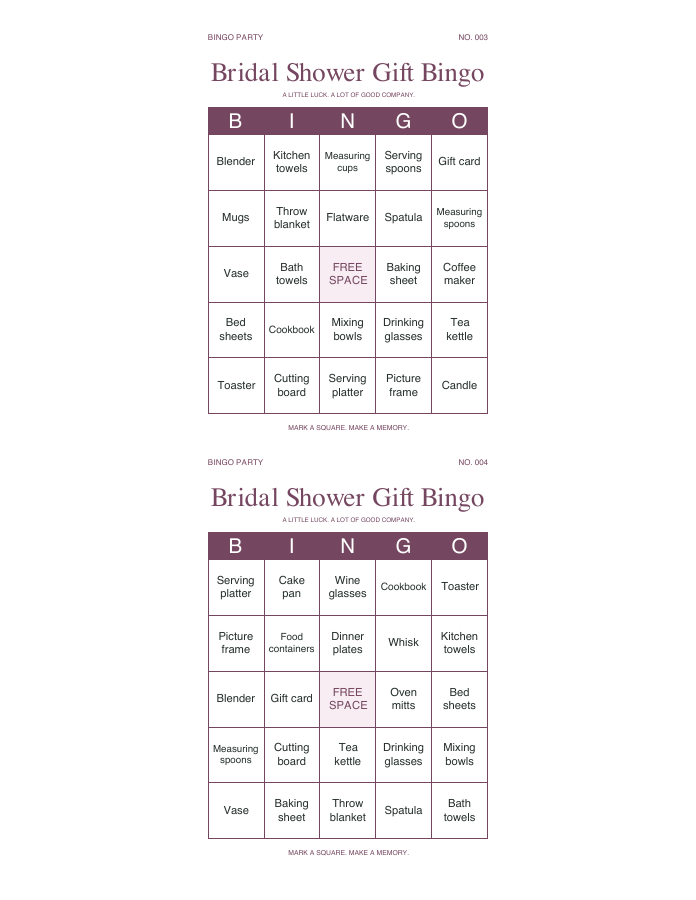
3-page sample: 3 card sheets. No caller checklist for this game. All players use the same word pool. Two people can still win together.
Thirty conversation prompts for mingling before the gifts. Players ask a guest about a square and write that person’s first name if it matches. Let people skip any question. Use a one-name-per-card rule only when the group is large enough, and allow repeats in smaller groups.
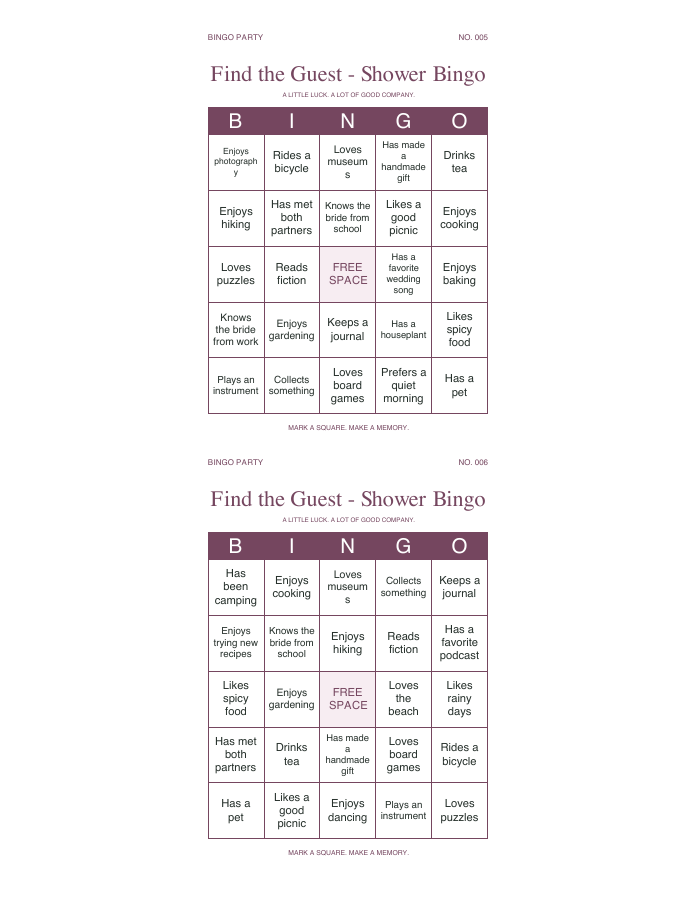
3-page sample: 3 card sheets. No caller checklist for this game. All players use the same word pool. Two people can still win together.
A HOST’S GUIDE
Use the supplied words, including bouquet, wedding cake, first dance and something blue. Give everyone a card. A host draws entries at random from the caller’s checklist and reads them aloud. Guests mark matches on their own cards. The first person to complete the agreed pattern calls “Bingo,” then the host checks the winning squares.
For a game alongside presents, replace the list with items from the gift registry or likely gifts: mixing bowls, kitchen towels, serving plates or a picture frame. The existing wedding list includes experiences and traditions, so it should be edited before gift bingo. Decide whether a general category counts for several similar gifts and explain that rule to everyone.
Use the title for a name, a date or a short celebration message. You can also create a caller-led list of places, hobbies or shared memories associated with the couple. Avoid words that only one guest understands, or give a brief explanation when calling them. All cards use the same word pool, but their arrangements differ.
Keep a few extra pens near the cards. Use a 3 × 3 grid for a shorter game or a 5 × 5 grid for more squares. Free Space can be turned off if you want every square to require a match. With two cards per page, print at actual size and cut between cards. For long phrases, one card per page is easier to read.
COMMON QUESTIONS
Yes. Your chosen title, colors and theme apply to the whole batch. Changing the theme does not shuffle the words you are previewing.
Yes. Unique arrangements do not guarantee a single winner. Decide beforehand whether tied players share the win, receive separate prizes or play another round.
Yes. Edit the words to fit the reception and explain what counts as a match. For example, guests could mark an entry when the host announces a planned activity. Keep the rules clear and avoid distracting guests from the celebration.
All themes and PDF downloads are free, with no signup. You can make up to 100 different arrangements per batch. Your words and PDF are processed in your browser and are not uploaded. Refreshing the page resets the editor.
READY FOR YOUR OCCASION